An app may advertise many activities and features, yet still leave people unsure where to begin. A useful mobile experience makes common actions clear: users can understand the menus, read the rules, check account information, and find help without tapping through a maze.

For APKHubSpot readers, this guide explains how to assess an easy-to-use earning app before deciding whether to spend time on it. Ease of use describes the interface; it does not prove that an app is safe, legitimate, or capable of producing income. Check the app’s terms, privacy practices, payment details, and download source separately. You cak try Games categorys.
Begin with the first few screens
A well-organized app introduces its purpose and shows what a person can do next. Registration should ask only for information that the service explains it needs. Labels should be familiar, and error messages should say how to fix a problem rather than display an unexplained code.
Before entering sensitive details, pause and read the account and privacy information. A simple sign-up screen can still collect more data than users expect. Don’t share an identity document, banking detail, or phone verification code unless the service clearly explains the reason and how it handles that information.
Look for menus that make sense
The home screen should make the main sections easy to locate. Common labels such as account, activities, history, help, and settings are easier to understand than decorative icons with no text. Important controls should not be hidden behind repeated pop-ups or several layers of menus.
A clean layout also helps users avoid mistakes. Buttons need clear names, text needs to remain readable on a small screen, and the app should make it easy to return to the previous page. An easy-to-use earning app saves effort by helping users find a feature directly instead of making them guess where it is.
Read activity rules before starting
If the app offers tasks, games, surveys, or other activities, each one should explain its requirements before a user begins. Look for what counts as completion, any time limits, eligibility rules, and how the app records the result. Vague instructions can lead to wasted time or disagreements about whether an activity qualified.
Treat promotional language carefully. A task or reward does not guarantee income, and results may depend on eligibility, availability, or the service’s rules. An easy-to-use earning app should explain these limits in plain language, so people can decide whether an activity suits them before committing their time.
Check what the balance figures mean
Account screens should distinguish between different types of amounts. For example, an app may show a total, a pending amount, or a balance that meets the conditions for withdrawal. The labels and terms should explain those differences instead of presenting figures without context.
Transaction records can help users understand account activity. Entries should show a date, description, amount, and status where relevant. If a figure changes, the app should provide enough detail for the user to understand why. Don’t treat a number on a dashboard as proof that money is available or guaranteed.
Verify payment conditions independently
Payment screens and written terms should explain which methods are currently supported, any minimum or maximum limits, fees, processing estimates, identity checks, and withdrawal conditions. These details can change, so check the current official information before making a decision. Pakistani users should not assume that JazzCash, Easypaisa, or any other service is supported unless the app itself confirms it.
Keep receipts and transaction references if you use a payment feature. Never share an OTP or password with someone claiming to be support, and don’t send money to a personal wallet because a stranger promises faster processing. Be especially cautious if anyone asks for an extra “release fee.” A clear payment flow is one helpful sign of usability, but it is not proof that a service is trustworthy.
Review the download and permissions
An APK file can install an Android app outside the Play Store, so the source matters. Use a source controlled by the app’s publisher when available. Avoid files sent through unknown chat groups, social accounts, or file-sharing pages. A familiar name or logo alone cannot establish that a download is genuine.
Check the requested permissions and consider whether each one fits the app’s stated purpose. If a feature does not need access to contacts, microphone, location, or other sensitive data, question why that permission appears. Keep Android’s security protections enabled and don’t install a file if your device or security software raises a warning you can’t verify.
Consider speed, device fit, and data use
An app should respond to taps, load its key screens, and show useful messages when a connection is slow. Repeated crashes, frozen buttons, and endless loading make basic tasks difficult, even when the design looks attractive.
Before installing, check the supported Android version and any device requirements. Also notice whether the app uses excessive mobile data or keeps running background downloads. An easy-to-use earning app should work comfortably on the devices it supports, but performance can still vary with a phone’s storage, software, and network connection.
Make sure help is easy to find
A practical help section should answer common questions about signing in, account security, activity rules, and transaction statuses. If the app offers contact support, check whether it explains how to submit a request and what details support staff may need. Never send passwords or OTPs in a support message.
Useful error messages and clear help pages can save users time. If the only support option is an unknown social account or a private number, be careful before sharing personal or financial information. An easy-to-use earning app makes it possible to find assistance without relying on unofficial intermediaries.
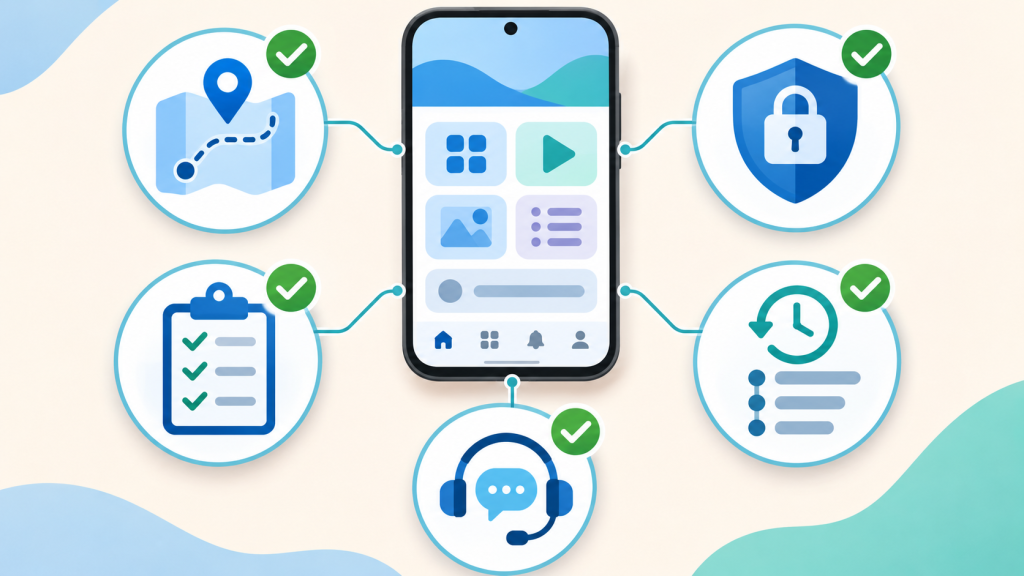
Simple interface does not equal safe service
Usability is only one part of evaluating an app. Before using one, look for clear ownership details, understandable terms, a privacy policy, a reliable update source, and consistent information about payments. Search for independent feedback, but remember that reviews can be incomplete or manipulated.
Avoid claims of guaranteed income, unusually high returns, or instant withdrawals unless the service provides verifiable terms—and even then, don’t treat promotional promises as certainty. Never borrow money to use an app or spend more than you can afford to lose. If the rules are confusing or the service pressures you to pay quickly, step away.
Quick checklist for Android users
Before committing time to an app, check whether it has:
- Clear registration steps and understandable privacy information
- Menus with readable labels and predictable navigation
- Activity instructions that explain eligibility and completion
- Account figures with clear definitions and transaction records
- Current payment terms published by the service itself
- Permissions that fit the app’s purpose
- Device requirements and a dependable download source
- A help section and a safe way to report problems
These checks can help beginners compare an easy-to-use earning app with another option without relying only on advertisements. They can also reveal when important information is missing.
Final thoughts
A good mobile experience lets users understand the app, find its main functions, and read the conditions before acting. Clear menus, honest activity rules, understandable account records, sensible permissions, responsive performance, and accessible help all contribute to usability.
For APKHubSpot readers, the key is to judge the whole service rather than its appearance alone. An easy-to-use earning app may feel convenient, but convenience does not guarantee safety, payment, or earnings. Verify the official source and current terms, protect personal information, and stop if anything feels unclear or pressured.